


Vector

Facebook Ads to Google Sheets Integration Simple and Easy

Skip the manual exports

Real-time ad data. Zero copy-paste. Fully in control

AlphaSheet to Google Sheets
AlphaSheet lets you export Facebook ads data to Google sheets - no scripts, no APIs, no late-night CSV downloads.
AlphaSheet to Google Sheets
Just connect, fetch, and analyze. That’s it.
Live and Customizable

Your Ads. Your Sheet. Your Rules.

Whether you're tracking spend, measuring conversions, or reporting ROAS, AlphaSheet delivers fresh Facebook Ads data right where you work in Google Sheets or Excel. It also supports destinations like BI solutions including Tableau, Zapier etc. You can even link this process to further workflow automation through Make.com
Red Arrow
Live syncs with your ad account
Red Arrow
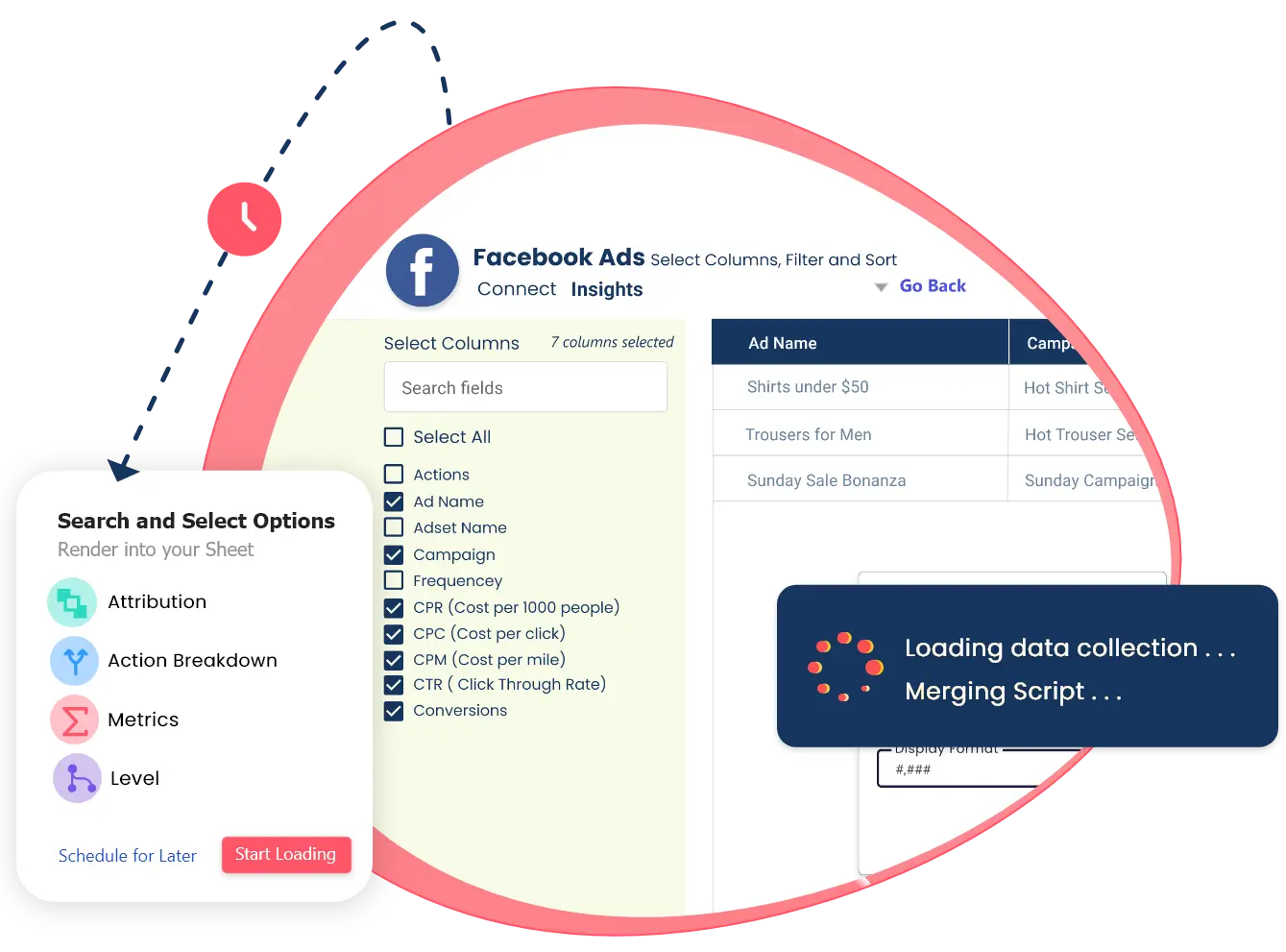
Customizable metrics and dimensions
Red Arrow
Scheduled refreshes - hourly, daily, or weekly
Red Arrow
Simple setup, no code needed

What you can importfrom Meta Ads

Pull in everything you need to stay ahead of performance
Campaign performance

Spend, Impressions, Clicks, CTR, CPC

Ad-level insights

Creative names, Placements, Conversions

Custom time frames and filters
Date Range, Campaigns, AdSet, ads
Multiple ad accounts in one view
Compare and Analyze from multiple accounts
The easiest way to pull data from Facebook Ads

How it Works?

Pull Facebook Ads metrics directly into your spreadsheets, for a comprehensive view of your channel performance
Key Metrics Available include
Total number of ad impressions
Total ad clicks in numbers by users
Click-Through Rate that indicates percentage of impressions leading to clicks
Cost Per Click (CPC) that indicates average cost for clicks
Cost Per Mille (CPM) indicates the overall cost per 1,000 impressions
Total ad spend on campaigns
Number of desired actions by users through purchases or sign-ups
Average cost of conversions
Return on Ad Spend (ROAS)
Average Ad Frequency
Many more ...
These metrics align with industry standards and succinctly provide actionable insights into ad performance
Time Saver and Productivity Enhancer

Stop Relying on Screenshots and Static Reports

Say goodbye to outdated dashboards and repetitive downloads.
AlphaSheet turns your spreadsheet into a live reporting system with robust process for Facebook lead ads to Google sheets lead connector integrations. So your numbers are always up to date, always accurate, and always ready for decision-making.

Why AlphaSheet

Why Alphasheet.io for Facebook Ads to Google Sheets integration?

Fast setup

Connect your tools and start syncing in minutes - no developers, no fuss. Spend less time figuring things out and more time working with your data.


Flexible scheduling

Choose when your data updates: hourly, daily, or weekly. Stay in control. Perfect for dashboards, reports, and time-sensitive decisions.


Enable Referesh Schedule - AlphaSheet
Secure & reliable

Your data is protected with end-to-end encryption and monitored syncs. We prioritize privacy and reliability at every stage of the sync.


Google Sheets transfers are encrypted end-to-end
Transparent pricing

Clear plans with no hidden fees. What you need, when you need it. No surprise charges or locked features, just straightforward value


Honest pricing no tricks, no bloat
# No 1   Best Performance

From Data Fetching to Smart Reporting

AlphaSheet does more than just import data. It combines the data with your revenue data to create custom dashboards or run formulas for performance trends, within the spreadsheet

Right Icon
Need to track CAC week-over-week?
Right Icon
Want to forecast next month’s ad spend?
It's all possible, and it's all live.

What Our Customers have to say

We have many good stories to describe how AlphaSheet helped our customers become more efficient and also it saved a lot of extra cost of developing excel export feature at every data collection or report.

"The ability to consolidate data from various Facebook ad accounts into one dashboard has streamlined our workflow and improved our client reporting."

Testimonial Image
Bill Desy

Agency Owner

"We used to spend hours manually exporting data from Facebook Ads and formatting it in spreadsheets. Now, it's all automated and up-to-date. It's a game-changer for our marketing team"

Testimonial Image
Seun Den

Digital Marketing Manager

Secure & reliable

Built for Marketers, Analysts & Teams

AlphaSheet.io works for :
Performance Marketers

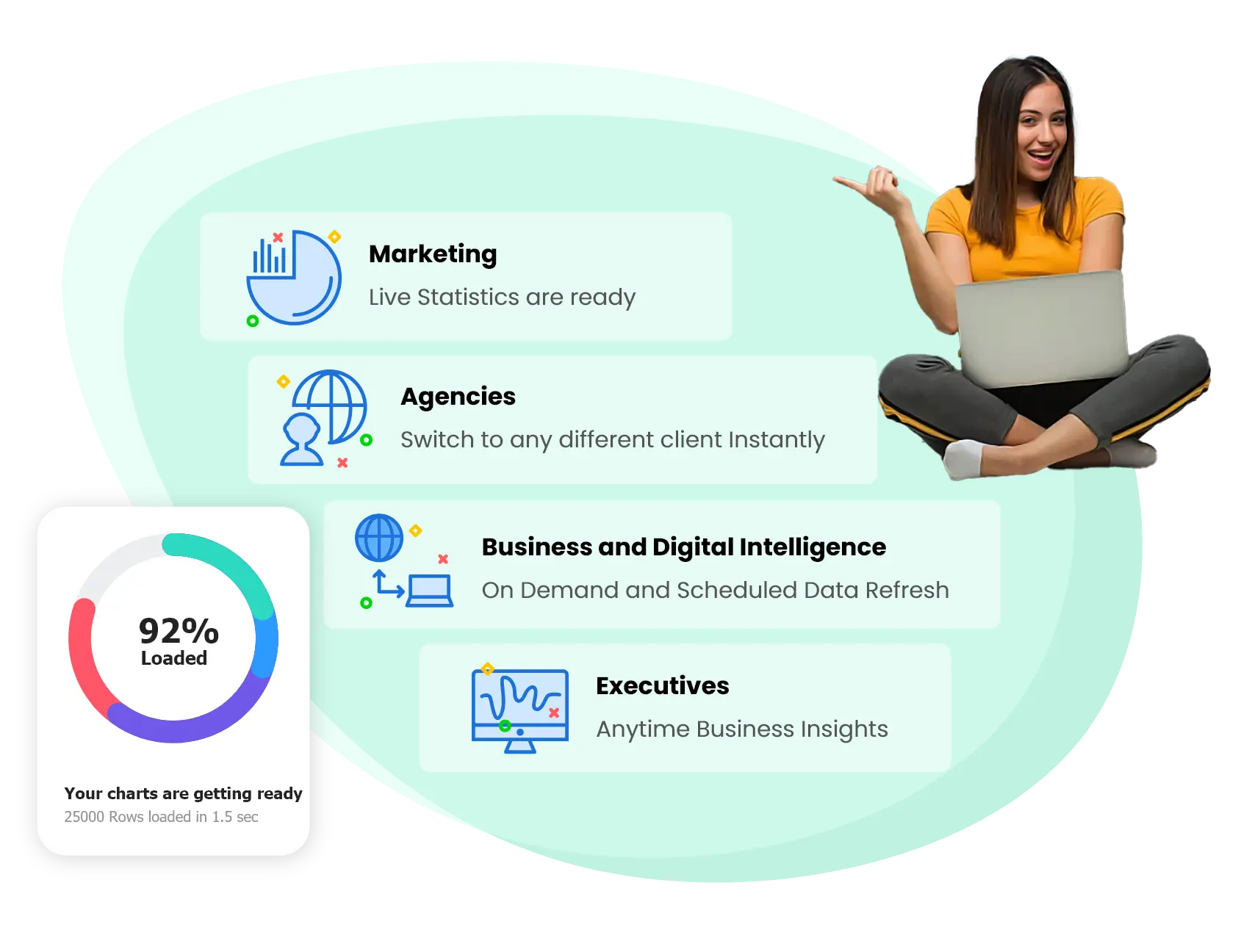
Track ROAS, spend, and conversions with real-time precision right from your sheet. Spot campaign trends early and adjust strategies without delay.

Agencies managing multiple client websites and GA4 properties

Bring all your clients’ accounts into one dashboard without switching tabs or tools. Automate reporting and free up time for high-value strategy work.

Founders & Ops Teams
Stay on top of the numbers without depending on engineering or BI support. Make smarter decisions backed by up-to-date, clean data.
Executives

Executives monitoring key performance indicators (KPIs)

You don’t need to be tech-savvy to start working on the process. Connect your Facebook Ads account once, choose your fields, and you’re done.

Vector
Polygon
Always available to our users

24/7 real time support

We are just one email away to solve all your queries. If you have any trouble setting up your connection or data collections write to us, even if you have not opted for a paid plan

Amazing!

Frequently Asked Questions

Frequently Asked Questions about Facebook Ads to Google Sheets

Following FAQ will definitely help you with soloving all your doubts..

Log into Alphasheet. Go to the integrations section, and select Facebook Ads. Authorize access to your ad account, and you’re set. No coding or complex setup required

Yes. AlphaSheet supports importing data from multiple ad accounts into a single spreadsheet. This is ideal for agencies or businesses managing several accounts.

You can import a wide range of metrics, including:

  • Campaign performance: Spend, Impressions, Clicks, CTR, CPC
  • Ad-level insights: Creative names, Placements, Conversions
  • Custom timeframes and filters
  • Multiple ad accounts in one view

You can schedule data refreshes to occur hourly, daily, or weekly, depending on your needs. This ensures your reports always reflect the latest performance metrics.

AlphaSheet is designed to handle large datasets efficiently. However, performance may vary based on the size of your data and the capabilities of your spreadsheet application.

Absolutely. AlphaSheet allows you to select specific metrics and dimensions relevant to your analysis, providing flexibility in how you structure your reports. 

Yes. You can import historical data by specifying custom date ranges during setup. This is useful for trend analysis and performance comparisons over time.

Start Free. Advertise Smarter.

Sync Facebook Ads to Google Sheets in a jiffy
No Code. No Limits Just Live and Clean Data